Why I Switched to Mechanical (And Never Went Back)
Three years ago, I thought spending over $50 on a keyboard was absurd. I was using whatever came with my computer, then a $30 wireless keyboard from Amazon.
Then a friend let me try his mechanical keyboard.
The difference isn’t subtle. The tactile feedback, the satisfying sound, the way your fingers know when a key registers without bottoming out - it changes how typing feels. I went down the rabbit hole, spent way too much money testing options, and now I have strong opinions.
Here are the keyboards that actually deserve your money in 2026.
My quick recommendations:
- Best for most people: Keychron Q1 Pro
- Best for competitive gaming: Wooting 60HE
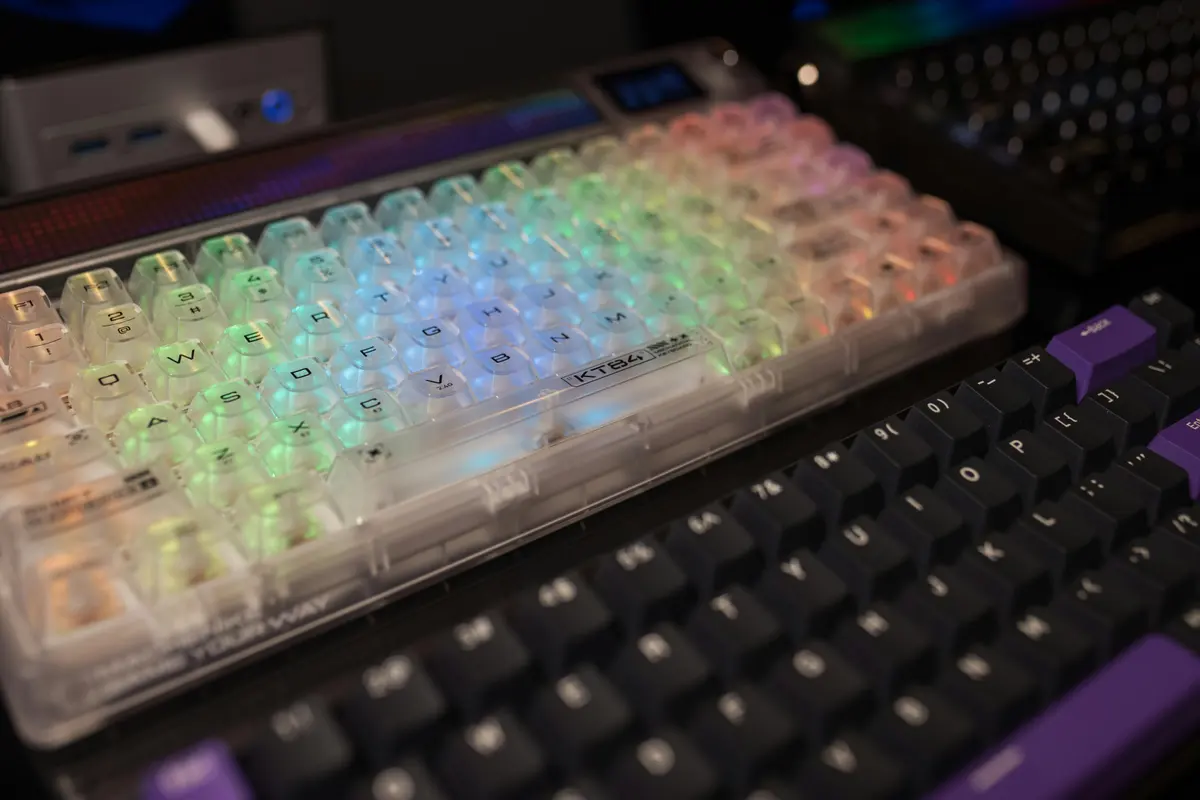
- Best on a budget: Royal Kludge RK84
Quick Comparison
| Keyboard | Size | Switches | Connection | Price |
|---|---|---|---|---|
| Keychron Q1 Pro | 75% | Gateron | Wireless + Wired | ~$200 |
| Wooting 60HE | 60% | Lekker (Analog) | Wired only | ~$175 |
| Royal Kludge RK84 | 75% | Various | Triple mode | ~$55 |
| GMMK Pro | 75% | Hot-swap | Wired | ~$170 |
| Ducky One 3 | Full/TKL | Cherry | Wired | ~$110-140 |
| Leopold FC660M | 65% | Cherry | Wired | ~$120 |
| Logitech G Pro X | TKL | GX | Wired | ~$130 |
| Akko 3068B | 65% | Akko | Triple mode | ~$65 |
Keychron Q1 Pro: The One I Recommend Most
I’ve owned this keyboard for eight months and have zero complaints. Actually, one - it’s heavy enough that I don’t want to carry it to coffee shops.
The aluminum build feels premium. The gasket mount creates a satisfying “thock” sound that’s addictive without being obnoxious. Hot-swappable switches mean you can experiment without soldering. And the QMK/VIA programmability lets you customize literally everything.
What makes it worth $200:
- Build quality that feels like it costs more
- Gasket mount for that satisfying sound profile
- Hot-swap any switches you want to try
- Wireless mode works flawlessly (rare for quality mechs)
- QMK/VIA for deep customization
- Mac and Windows support out of the box
What I’d change:
- It’s heavy - not for travel
- Stock keycaps are decent but not exceptional
- South-facing LEDs (matters for some keycap profiles)
Best for: Anyone who wants one keyboard for the next 5-10 years and is willing to pay for quality.
Wooting 60HE: The Competitive Gaming Secret
If you watch esports streams closely, you’ll notice pros increasingly using Wootings. The reason is Rapid Trigger technology and adjustable actuation.
Traditional switches have a fixed actuation point - press the key 2mm and it registers. The Wooting lets you adjust this from 0.1mm to 4mm per key. For shooters, you can set near-instant actuation. For games requiring analog input (racing, flight sims), you get actual analog control.
I don’t game competitively, but I borrowed one from a friend who does. The difference in counter-strafing in CS2 was immediately noticeable.
Why competitive gamers choose it:
- Adjustable actuation point per key
- Rapid Trigger resets keys almost instantly
- True analog input for compatible games
- Per-key calibration for consistency
- Response times measurably faster than traditional mechs
The tradeoffs:
- 60% layout only (no function row or arrows)
- Wired only - no wireless option
- Expensive for a 60% board
- Software required for features
Best for: Competitive FPS players, fighting game enthusiasts, anyone who needs every millisecond.
Royal Kludge RK84: Best Value Entry Point
Here’s my advice for first-time mechanical keyboard buyers: start cheap. You don’t know what switches you like yet. You don’t know if you need a numpad. You don’t know if you want wireless.
The RK84 at around $55 lets you figure all that out without commitment.
75% layout gives you function keys and arrows without a numpad. Hot-swappable switches mean you can try different options. Triple-mode connection (Bluetooth, 2.4GHz, wired) covers every scenario.
What you get for $55:
- 75% layout with everything you need
- Hot-swappable switch sockets
- Bluetooth, 2.4GHz dongle, and wired modes
- RGB backlighting
- Surprisingly decent stock switches
What you sacrifice:
- Plastic build feels like its price
- Keycaps are thin ABS that get shiny
- Software is clunky
- Sound is hollow without modding
Best for: First mechanical keyboard, testing switch preferences, budget builds.
GMMK Pro: The Modder’s Platform
Glorious built the GMMK Pro as a foundation for customization. Out of the box, it’s decent. With modifications, it’s excellent.
The barebones kit (no switches or keycaps) is how most enthusiasts buy it. Add your preferred switches, your favorite keycaps, maybe some foam dampening, and you have a personalized board.
What modders love:
- Fully hot-swappable (try any switches)
- Rotary encoder knob included
- Gasket-mounted for good acoustics
- Compatible with most keycap sets
- Huge aftermarket support
Out-of-box experience:
- Decent but clearly designed for modification
- Stock stabilizers need work
- Sounds hollow until you add foam
- Benefits significantly from switch/keycap upgrades
Best for: People who enjoy the building and modifying process as much as the typing.
Ducky One 3: Best Ready-to-Go Quality
Not everyone wants to mod their keyboard. Ducky gets that.
The One 3 comes ready to use with Cherry MX switches, PBT keycaps, and proper sound dampening. No modding required for a good experience. It just works well immediately.
The QUACK Mechanics (Ducky’s dampening system) addresses the hollow sound problem that plagues many stock boards. It sounds full and satisfying out of the box.
Why it works:
- Hot-swappable now (previous Duckys weren’t)
- Sound dampening included and effective
- Quality PBT double-shot keycaps
- Multiple sizes available (full, TKL, SF)
- Cherry MX switches - proven reliability
What to know:
- No wireless option
- Less customizable than enthusiast boards
- RGB can be finicky to configure
- Premium over budget options
Best for: People who want quality without DIY.
Leopold FC660M: The Typist’s Choice
Leopold keyboards are boring. Gloriously, wonderfully boring.
No RGB. No software. No wireless. No hot-swap. Just Cherry MX switches in an impeccably built chassis with sound dampening and great keycaps.
Writers, programmers, and people who type all day gravitate toward Leopolds because the typing experience is exceptional. Nothing flashy - just thousands of keystrokes that feel exactly right.
Why typists love it:
- Build quality is exceptional
- Internal sound dampening from factory
- Cherry MX switches (proven, consistent)
- PBT keycaps that last
- 65% layout maximizes desk space
What you’re giving up:
- All the features (RGB, wireless, hot-swap)
- Any customization without soldering
- Fun factor (if you care about that)
Best for: Writers, programmers, anyone who types heavily and values feel over features.
Logitech G Pro X: Mainstream Gaming Done Well
Sometimes you want the reliability of a big brand. Warranty support, consistent quality control, software that works.
The G Pro X is Logitech’s answer for gamers who want mechanical feel with mainstream support. Hot-swappable switches (Logitech’s GX line), tournament-proven TKL design, and the polish you expect from a major brand.
What Logitech brings:
- TKL layout popular in esports
- Swappable GX switches
- LIGHTSYNC RGB works well
- Detachable cable for travel
- Logitech G HUB software (better than most)
The compromise:
- Not as premium as enthusiast options
- GX switches are fine, not exceptional
- Price is high for what you get
- Locked into Logitech’s ecosystem
Best for: Gamers who value brand reliability and support.
Akko 3068B Plus: Budget Compact Done Right
Akko has been steadily improving, and the 3068B Plus is their best value proposition. 65% layout, triple-mode wireless, hot-swap, PBT keycaps - at around $65.
The included Akko CS switches are surprisingly smooth. Not as good as premium Gaterons or Cherrys, but far better than what you’d expect at this price.
What $65 gets you:
- 65% layout (arrows included)
- Bluetooth, 2.4GHz, and wired
- Hot-swappable switches
- PBT keycaps included
- Smooth Akko CS switches
- Cute colorway options
Budget tradeoffs:
- Build quality is plastic
- Sound is thin without mods
- Wireless can be finicky occasionally
- Limited layout options
Best for: Students, minimalist setups, travel keyboards.
Quick Switch Guide
| Switch Type | Feel | Sound | Best For |
|---|---|---|---|
| Linear (Red, Yellow) | Smooth all the way down | Quiet | Gaming, quiet offices |
| Tactile (Brown) | Bump when key activates | Medium | Typing and gaming |
| Clicky (Blue, Green) | Bump plus audible click | Loud | Typing enthusiasts |
| Silent (any color) | Dampened travel | Very quiet | Shared spaces, offices |
Don’t know what you like? Start with tactile (brown) switches - they’re the most versatile.
How to Choose
For gaming: Wooting 60HE if competitive, Logitech G Pro X if you want mainstream reliability
For typing: Leopold FC660M for pure feel, Keychron Q1 Pro if you also want features
For customization: GMMK Pro as your platform
On a budget: Royal Kludge RK84 to learn what you want, Akko 3068B for compact needs
My Final Take
The Keychron Q1 Pro is what I recommend to most people asking for one keyboard recommendation. It does everything well, lasts forever, and strikes the right balance between quality and features.
If you’re on a tight budget, the RK84 at $55 is genuinely impressive for the money. Use it, figure out what you like, then upgrade if you want more.
The mechanical keyboard rabbit hole goes deep - custom builds, artisan keycaps, lubed switches. But you don’t need to go there. A good stock keyboard serves most people perfectly well.
Prices change frequently. Always check current deals.